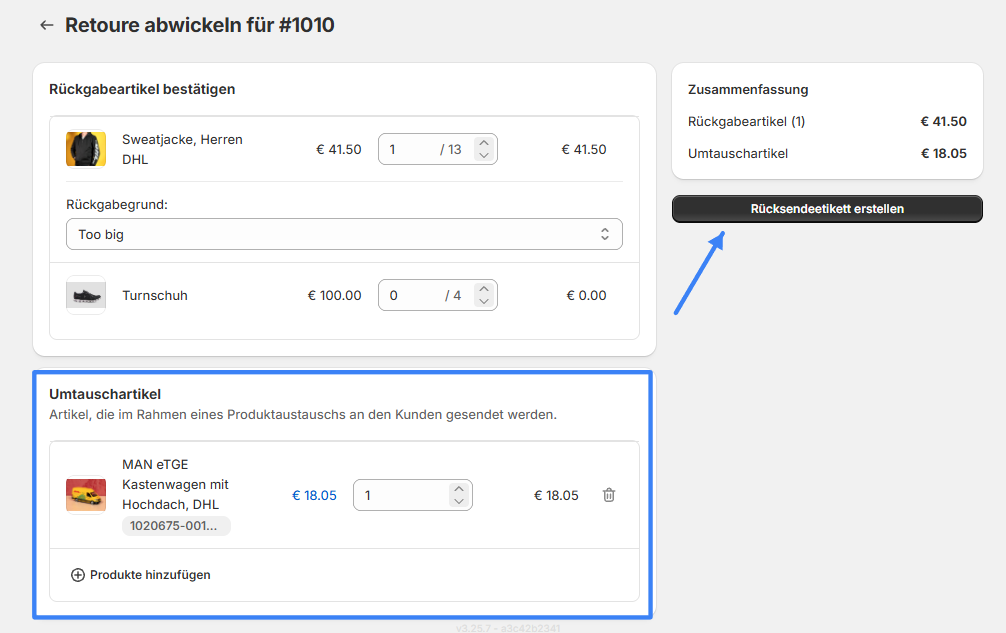
Create returns
The Returns product must be active in your DHL business customer account before it can be used in the app. Otherwise, errors will occur later. Contact DHL Sales to have the product activated.
Set up returns
See Set up returns for instructions.
Create a return
Step 1
Open the order for which you want to create a return label.
Step 2
Select Create Label. The previously created shipping label is displayed.
Step 3
Scroll to the bottom of the page and select Create return.


Step 4
Your completed return label is displayed. You can print it immediately or save it as a file.
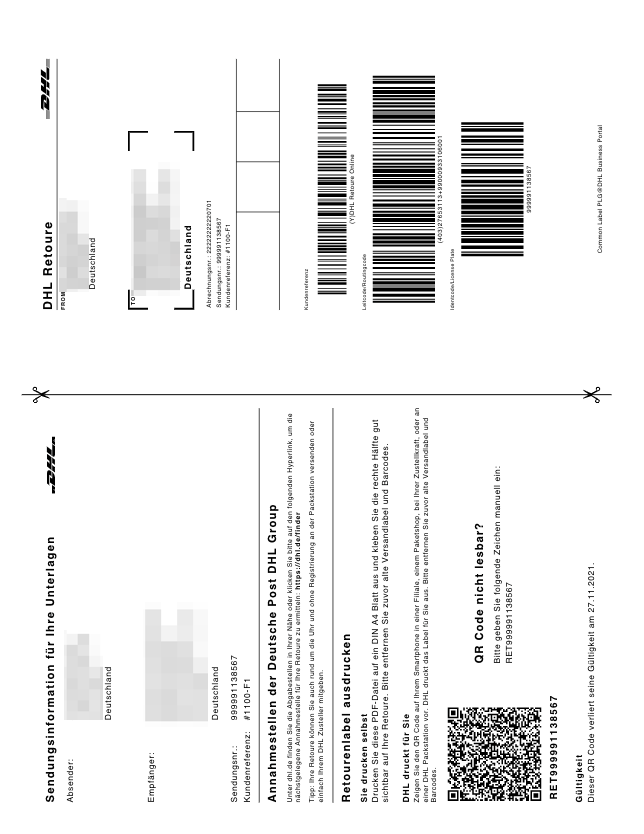
You can also create international returns, provided that you have already imported the receiver IDs for the relevant country from the DHL Business Customer Portal.
Set up and process Shopify customer returns
Create a manual return with the Shopify returns integration (In progress)
Create a manual return with the Shopify returns integration (Closed)
Add an exchange item
Step 1
Before you can add an exchange item, activate the Returns section in the settings. See Set up returns for instructions.
Step 2
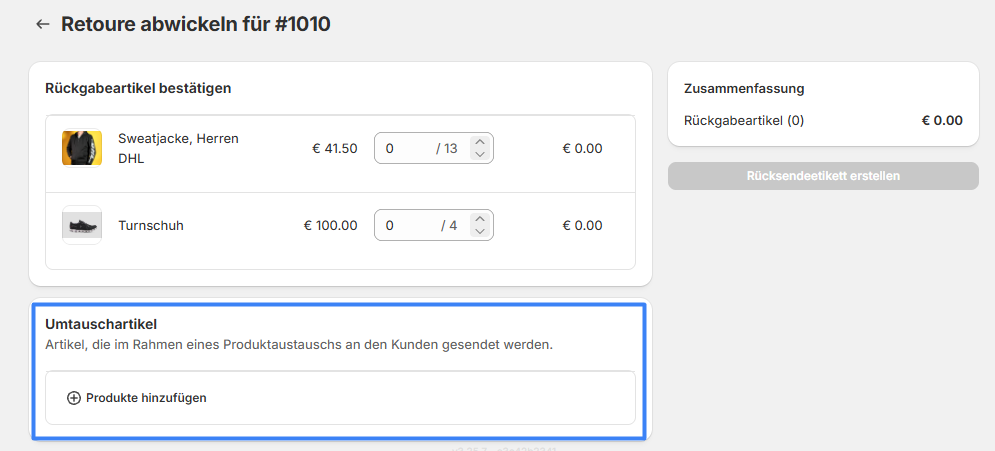
Open the previously created shipping label and select Create return.

Step 3
You can now add an exchange item.
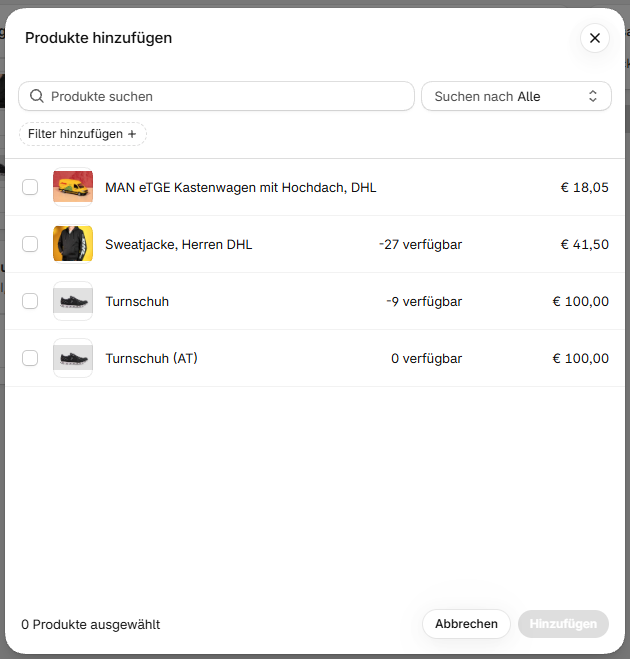
Step 4
Create the return label.