Return address
Step 1
Go to Apps and open the Post & DHL Shipping app.
Step 2
For your DHL Paket account, select Edit or the pencil icon in the top-right corner.
Step 3
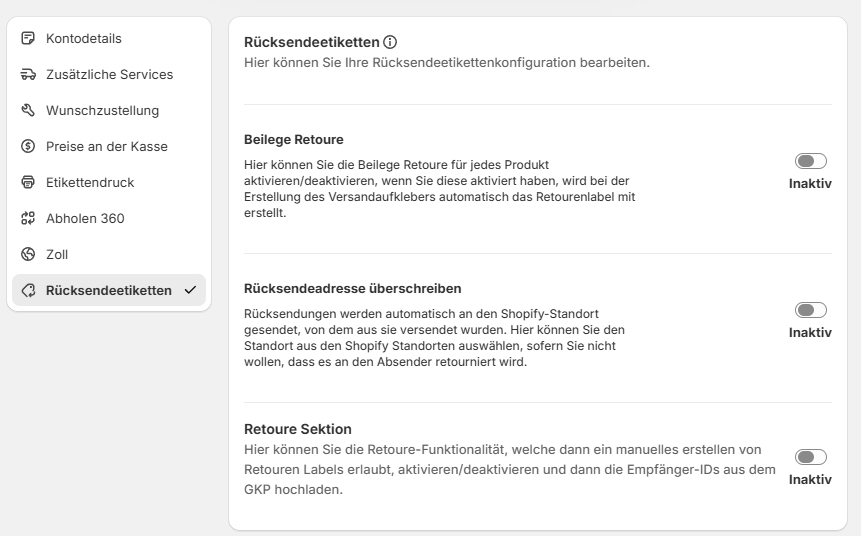
You can now edit your account. All return settings are available under Return labels.
warning
Before you can activate Returns, you must add the product to your participations. See Participations for instructions. Otherwise, the return settings will not be displayed.
Step 4
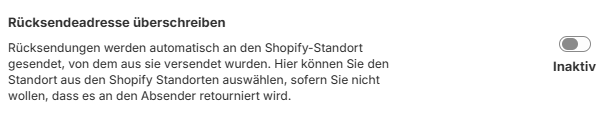
Override return address lets you change the return location if it differs from the sender address or if you operate a dedicated returns centre.
Step 5
Select Inactive.
Step 6
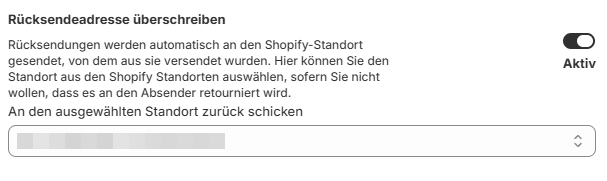
Select the location to which returns should be sent. The addresses are taken from Shopify.
Step 7
Select Save at the bottom of the page.